A moderator runs a command
Warn, mute, kick or ban. They type the reason once, in Discord, where they already are.
1 of 5
/banBan a member from the server
LunarisAPP
User Banned
User: rkstatic (@rkstatic)
- Case
B-003a9f1c27b5e - Moderator @Aria
- Date November 12, 2026 at 14:07
Reason
Posting invite links in #general
ID: 123456789012345678
LunarisAPP
User Banned: Case B-003a9f1c27b5e
Case: B-003a9f1c27b5e
User: @rkstatic
Moderator: @Aria
Date: November 12, 2026 at 14:07 (2 hours ago)
Reason: Posting invite links in #general
LunarisAPP
You were banned in Sample Server
- Case
B-003a9f1c27b5e - Moderator @Aria
- Date November 12, 2026 at 14:07
Reason
Posting invite links in #general
If you believe this was a mistake, contact a server moderator.
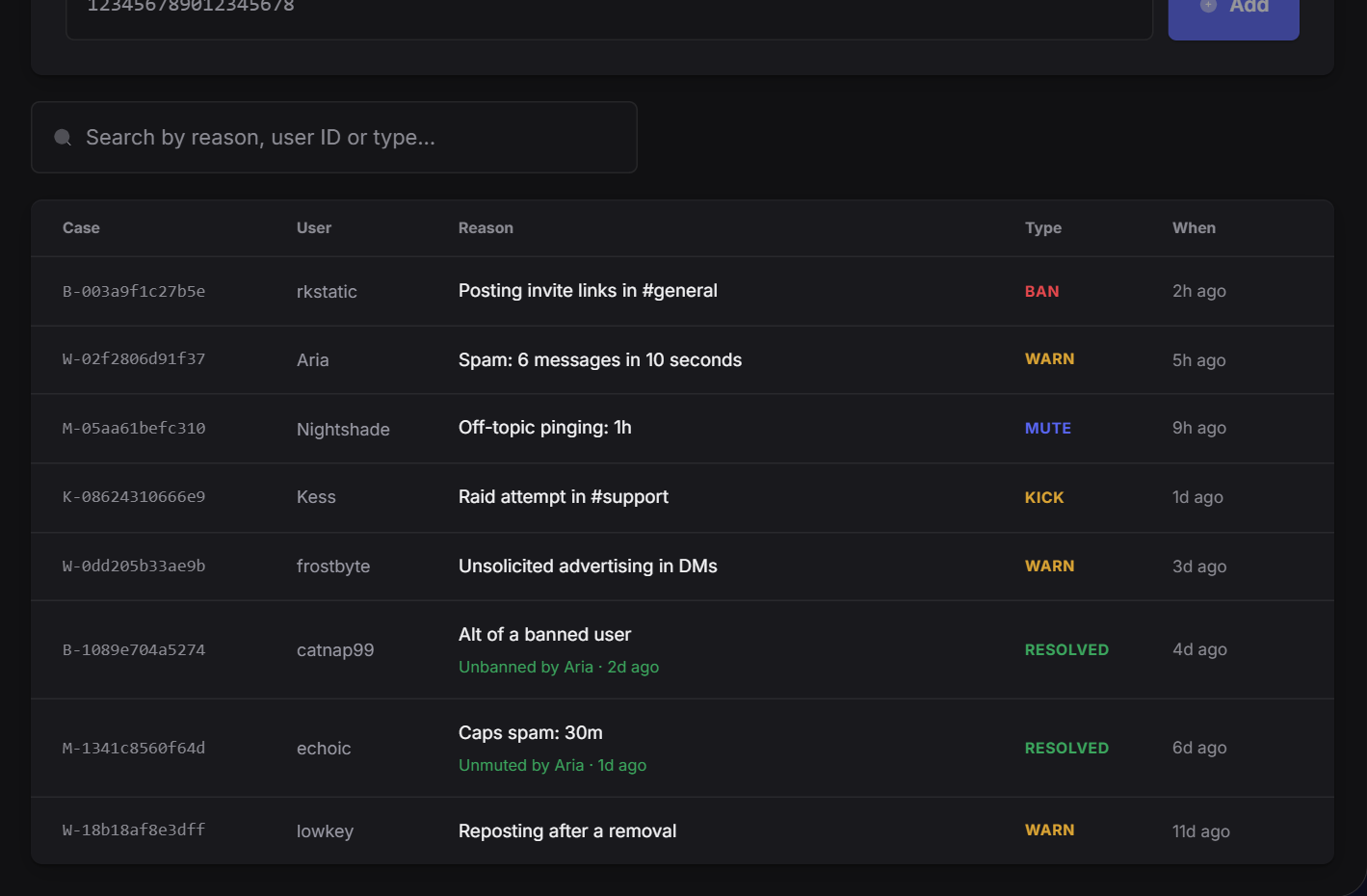
A case ID starts with the action and ends with a hash, like B-003a9f1c27b5e. You can tell a ban from a warn in a list without opening anything.
WWarn/warn
MMute/mute
KKick/kick
BBan/ban
SSoftban/softban
UMUnmute/unmute
UBUnban/unban
ATMDAutomodno moderator involved
What each one records
Saving chat as evidence is a setting you turn on per server. While it is off, nothing is stored.
Logging has six types, each sent to a channel you pick: messages, members, voice, roles, channels and moderation.
- /warn
- Case, reason, moderator.
- /mute
- Case, reason, duration, moderator.
- /kick
- Case, reason, moderator, and the saved chat if evidence is on.
- /ban
- Case, reason, moderator, saved chat if evidence is on, and the appeal if the member files one.
- Audit log
- Moderation actions and settings changes in one list, with names and avatars instead of raw IDs.